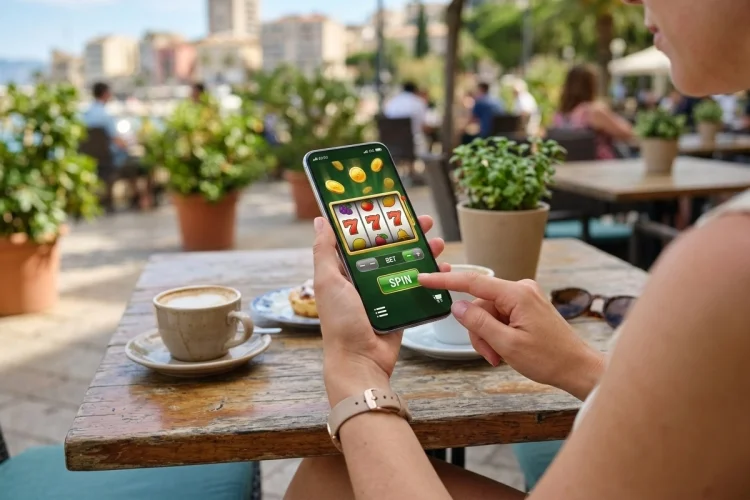
Playing a casino game on your phone does not necessarily consume huge amounts of mobile data. A basic slot can exchange relatively small amounts of information, while a live blackjack table may continuously stream video and use dramatically more.
So, How Much Data Do Mobile Casino Games Use? There is no universal number because consumption depends on the game, graphics, video quality, session length, and whether additional content is downloaded.
As a practical rule, standard casino games are relatively light, while live dealer products behave more like video-streaming services.
Mobile Slots Usually Use Relatively Little Data
Mobile slot games generally do not need to download a completely new game every time the reels spin.
After the initial assets have loaded, the game mainly exchanges information such as wager requests, game results, balance updates, and occasional additional graphics or sounds.
Third-party casino testing published in 2026 estimates that typical mobile slots may use roughly 5–30 MB per hour, although individual titles can differ significantly.
That would make slots considerably lighter than ordinary video streaming.
For example, a two-hour slot session using 20 MB per hour would consume around 40 MB. With a 5 GB mobile plan, that amount is fairly small.
However, the first time you open a graphics-heavy slot may require more data because images, animations, sounds, or other assets need to be downloaded.
Digital Blackjack and Roulette Are Usually Light Too
Computer-generated blackjack, baccarat, roulette, and similar table games generally work more like ordinary online games than streaming video.
The phone sends your wager and receives information about the result. Graphics and animations are often processed locally after their assets have been loaded.
Microsoft notes that general online games commonly use around 100 MB per hour, although actual consumption varies by title, platform, and activity.
Many simple casino table games can fall below that figure because they exchange relatively small packets of game information.
A virtual roulette game, for instance, does not necessarily need to download a full video stream every second. It can display a locally rendered wheel while the server manages the actual gaming session.
This makes digital tables more data-friendly than their live dealer equivalents.
Live Dealer Games Use Much More Data
The biggest jump occurs when you open live blackjack, roulette, baccarat, or a casino game show.
These games include continuous video streaming.
The casino needs to send images of the dealer, table, cards, wheel, studio, and other live content to your phone throughout the session.
Direct casino-industry estimates commonly put live dealer consumption around 200-500 MB per hour, depending largely on video quality and the provider’s compression settings.
That means one hour of live baccarat could potentially use as much data as many hours of basic slot play.
For perspective, Netflix states that its low-quality streaming setting can use up to about 0.3 GB per hour, while standard-definition and HD video can consume substantially more.
A live casino stream is not identical to Netflix, but the comparison explains why video dominates mobile data consumption.
Video Quality Changes the Number Dramatically
A live dealer stream running at lower resolution needs less bandwidth than a sharper HD feed.
The difference can be significant.
If a casino platform automatically adjusts resolution based on your connection, a strong 5G signal might cause it to deliver higher-quality video and therefore use more data.
Apple makes a similar distinction at the operating-system level. On compatible iPhones, the “Allow More Data on 5G” setting can permit higher-quality video and other network-heavy services.
This explains why two people playing the same live game for one hour might not report identical usage.
One could receive a compressed standard-quality stream while the other receives higher bitrate video.
If the casino provides manual video settings, reducing the resolution is one of the most effective ways to reduce consumption.
The First Game Load Can Use More Data
Hourly averages can be misleading if you only play for ten minutes.
Suppose a game needs to download 15 MB of assets when first opened.
If you then play for three hours, that initial download becomes a minor part of the total. But if you play for only five minutes, it represents most of your session’s data consumption.
Modern slots can include high-resolution backgrounds, character animations, sound files, bonus scenes, and special effects.
Browser caching or application storage can sometimes prevent all of these resources from being downloaded again.
However, updates or cleared caches may force the game to retrieve them again.
This is why short sessions can occasionally appear surprisingly data-heavy when you inspect your phone statistics afterward.
Browsing the Casino Lobby Also Uses Data
Gameplay is not the only activity consuming bandwidth.
Casino lobbies can contain hundreds of game thumbnails, promotional banners, animations, account information, recommendation feeds, and sometimes video previews.
Scrolling through several pages may download a large collection of images.
Still, simple lobby browsing is normally much lighter than continuous live streaming.
The main exception occurs when the platform automatically plays promotional or game-preview videos.
Those clips can quickly increase usage because video transfers far more information than static images.
Turning off autoplay where possible can therefore make a noticable difference.
The same principle applies to promotional videos embedded in casino apps or mobile websites.
Native Apps and Browser Casinos Can Use Different Amounts
A native casino app may already contain some interface assets on the device.
That can reduce repeated downloads during normal use.
A browser-based casino, however, can cache images, scripts, and other resources too, so the difference is not always dramatic.
App updates are another factor.
Downloading a large casino app update over mobile data could use more bandwidth than several hours of normal slot play.
General online gaming follows a similar pattern: Microsoft notes that downloading games and updates can consume far more data than ordinary active gameplay.
Whenever possible, download large apps and updates over trusted Wi-Fi.
That leaves your cellular allowance for actual gameplay.
Background Data Can Quietly Add to Usage
Apps can sometimes access the internet even when you are not actively playing.
Background activity may support notifications, updates, account synchronization, or other services.
Google explains that Android applications can download information and deliver notifications through background data even when the app is not currently being used.
Android’s Data Saver can restrict much of this background traffic when cellular data is being used.
Apple offers a similar Low Data Mode on iPhone, which reduces automatic updates and background network activity.
These settings will not dramatically reduce an active live casino stream, but they can reduce unrelated traffic running beside your game.
How to Calculate Your Own Casino Data Usage
The best number is the one from your own device.
Different providers, games, phones, and quality settings create too much variation for one universal estimate.
On iPhone, Apple allows users to view how much cellular data individual apps consume under Settings > Cellular. Usage statistics can also be reset before a test session.
On supported Android devices, data-use screens can show cellular consumption by application and allow users to set warnings or limits.
Try resetting the statistics, playing one game for 30 or 60 minutes, and checking the result.
That gives you a much more accurate personal estimate than a generic online average.
How Much Data Would a Month of Play Use?
Consider a hypothetical player who spends one hour per day on ordinary slots using approximately 20 MB per hour.
Over 30 days, that would equal around 600 MB.
Now consider one hour of live dealer gaming per day at 300 MB per hour.
That would equal roughly 9 GB per month.
The difference is enormous.
Someone alternating between the two could fall somewhere in the middle.
These are only examples, not guaranteed figures. The actual result depends on streaming quality, loading behaviour, background traffic, and the individual provider.
The key insight is that game type matters far more than the casino theme or betting size.
A $1 live blackjack wager can consume more internet data than a $10 slot spin because video – not stake size – is what drives bandwidth.
Simple Ways to Reduce Casino Data Usage
Use Wi-Fi for live dealer sessions whenever a trusted network is available.
Lower streaming quality if the platform gives you that option, and avoid leaving a live table open while you are doing something else.
Download app updates over Wi-Fi.
You can also activate Low Data Mode on iPhone or Data Saver on supported Android devices to limit unnecessary background activity. Apple notes that its Low Data Mode reduces background network use, while Google’s Data Saver restricts most background cellular access.
Checking usage once in a while is also useful.
A game consuming much more data than expected may be streaming additional content, repeatedly downloading assets, or running background functions.
The answer to How Much Data Do Mobile Casino Games Use? depends mainly on the game format. Basic slots and virtual table games are usually light, while live dealer games can consume hundreds of megabytes per hour because of continuous video.
Check your phone’s actual usage statistics, lower video quality where possible, and use Wi-Fi for longer streaming sessions if your cellular allowance is limited.